Every month there is a new model, a new tool, and a new “secret prompt”. If you try to follow all of it, you will burn out. So I asked myself one question: which AI skills will still be useful in two years?
In this post, I share the answer from my notes. I will show how I use AI today, which parts of that will not go old, and a simple workflow you can copy. I use Claude Code for agent work and code. I use Gemini to summarize tech videos on YouTube, and I like its chat because it keeps my chats well organized. My notes also list an AI browser, a reply-writing extension, and GitHub Copilot in VS Code.

Photo by Mohamed Nohassi on Unsplash
Table of contents
Open Table of contents
The big picture
I think about AI use in three levels. Each level builds on the one before it. You cannot skip to level three and expect it to work.
Level 1: make AI your daily driver
A daily driver is the car you use every day, not the one you keep for weekends. Do the same with AI. Use it for small things many times a day, until it feels normal.
What I use it for
Here is the list from my notes:
- Summarize an article, a video, or a podcast. I do this a lot with tech videos. A one-hour talk becomes a list of main points in a minute. Then I decide if the full video is worth my time.
- Search the web and get a report. Instead of opening ten tabs, I ask for a short report with sources. I still open the sources for anything important.
- Reply to messages with the right tone and detail. A good reply needs the right length. Too short sounds rude. Too long wastes time. AI helps me find the middle.
- Generate code in the editor.
Why code generation is such a good fit
My notes have one line that I believe is true:
About 70% of programming is remembering. So AI is a good choice for it.
Think about what you do in a normal day. You remember how to set up a test. You remember the flags of a config file. You remember the shape of a new project. None of this is deep thinking. It is memory work, and AI is very good at memory work.
So give it these jobs:
- Unit tests. Write the test first, then ask AI to write the code that passes it. The test is your safety net.
- The first version of a project. Ask for a small working project (an MVP) with the files in the right places. You then change it to fit your needs.
- Configs and settings. Build tools, linters, CI files. These are easy to get wrong and boring to write.
When this level does not work
Daily driver use has one risk: you stop checking. AI sounds sure even when it is wrong. A summary can miss the one point that matters. A report can quote a page that says something else.
My rule is simple. The more it costs to be wrong, the more I check. A reply to a friend needs no check. A config for production needs a full read.

Level 2: orchestrate, do not just chat
Chatting is one question and one answer. Orchestration means AI works for you across many steps and many tools. This is where the big gains are, and it is also where most of the lasting skills live.
Stop learning prompt tricks
Early on, people shared tricks like “say you are an expert” or “take a deep breath”. Those tricks help weak models. Models get better, and the tricks fade.
Here is what I think will not fade:
- Ask for what you want, in plain words. Agents understand normal language now. You do not need a special prompt style.
- Use connectors (MCP). MCP is a standard way to plug AI into your tools, like your issue tracker, your repository, or your monitoring. An agent with access to your tools can find its own context. An agent without it will guess.
- Use repeatable instructions (skills). A skill is a saved set of steps that the agent loads when it needs it. If you explain the same thing three times, turn it into a skill.
- Use the whole platform. Do not stay in the chat box. Use the website features, and use routines or schedules, so the AI works while you do something else.
- Learn the foundations. These are delegation, multitasking, and mental clarity. I explain them below.
The three foundations
Delegation. This is the skill of giving a task away with a clear goal, clear limits, and a clear way to check the result. Managers have used it for years. It is the same skill now, but your team member is an agent.
Multitasking with many agents. You can run several agents at the same time, each on its own task. One writes tests while another reads logs. Your job moves from typing to directing and reviewing.
Mental clarity. This one surprised me. An agent can do a lot, but it cannot decide what matters. If your own thinking is messy, the output will be messy too, only faster. Before you start an agent, you should be able to say the goal in two sentences.
The agent features that matter
If you use a coding agent like Claude Code, five features give you most of the value. This is how I think about them:
| Feature | What it is | Why it lasts |
|---|---|---|
CLAUDE.md or AGENTS.md | A memory file for a project, or a general one for you | The agent starts every session with your rules |
| Edit modes | Plan mode, edit mode, and others | You choose how much freedom the agent has |
| Skills | Saved steps for a repeated job | You explain once and reuse forever |
| MCP | Connections to outside tools | The agent gets real context |
| Sub-agents and parallel agents | Many agents with their own tasks, often on separate git worktrees | Work runs side by side without conflicts |
Memory files are the best return on time
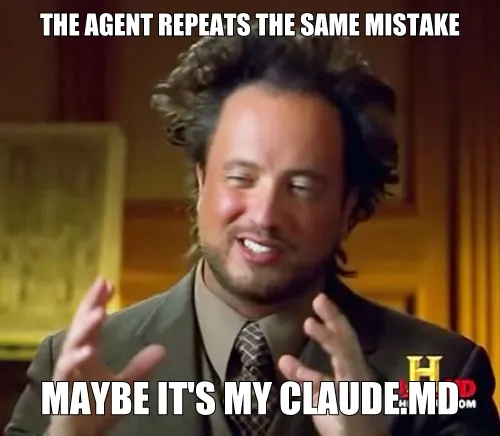
If you do only one thing from this post, write a CLAUDE.md (or AGENTS.md) file. Put in it how to run tests, your code style, and what the agent must never do. Then, each time you fix something by hand, ask yourself: “Could a line in this file have stopped that?” If yes, add the line. Over a few weeks, the agent makes fewer of the same mistakes.
Why git worktrees matter
A git worktree is a second copy of your repository on a different branch, in a different folder. If you run two agents in the same folder, they overwrite each other. If each agent has its own worktree, they can work in parallel and you merge the results later. It takes a few minutes to learn and it saves hours.
Level 3: a workflow that does not go old
Tools change, but the shape of good work does not. My workflow has three steps:
- Plan. Decide what to build and how. Let the agent read the code and propose a plan. You review it.
- Implement. The agent writes the code. Keep the steps small.
- Verify. Run tests, read the diff, do a code review.
Most people spend all their time on step two. I think steps one and three are where you earn your results. A weak plan gives you the wrong thing. A weak check gives you a bug you will find in production.
It maps to the work you already know
This is not new. It is the normal software lifecycle with a different name:
| Software lifecycle phase | AI workflow step |
|---|---|
| Planning, analysis, and design | Plan |
| Development | Implement |
| Testing | Verify |
| Deployment | Your pipeline, with checks |
| Maintenance | Plan again, for the next change |
That is why this is a skill that does not go old. If you already know how to plan, build, and test, you only need to learn how to direct an agent through those same steps.
Verification is the bottleneck
When agents write code fast, the slow part becomes reading it. Code review will be the bottleneck. Plan for it now:
- Keep changes small, so a person can review them in minutes.
- Ask the agent to run the tests and lint before it says it is done.
- Read the diff yourself. Do not trust the summary.

Manage your context
An agent has a limited memory for each session. This is called its context. When it fills up with noise, answers get worse. A few habits keep it clean:
- Use a short output style. In Claude Code, you can open the config, pick the output style, and choose “Concise”. The agent then skips the long talk and gives results. You save reading time and context.
- Prefer a command line tool over MCP when one exists. A CLI you already use, like the GitHub CLI, is often cheaper in context than a full MCP server.
- Turn repeated tasks into skills. If a task is only for one project, keep the skill in that project. If you use it everywhere, put it in your user folder.
A playbook for teams
I saved a post on X with a list for leaders who want their teams to use AI well. I will not copy it, but these points matched my own experience:
- Give every engineer a coding agent. Let them pick the tool and model that fits them.
- Connect the agents to all your dev tools. If an agent fails for lack of context, that is a tooling problem, not an AI problem.
- Write agent docs for your codebase. When you say “AI is bad at X”, first check if you told it how you want X done.
- Build safe places to run agents in the background. Several agents in parallel is the goal.
- Fix the security questions instead of blocking access to tools.
- In your product, use the latest models. Old models cost you quality.
- Build small evals. A simple test set lets you compare two models fast and decide with data.
Not every point fits every team. A small company will not build a sandbox platform. But the direction is clear: more context, more tools, and shorter loops.
A short checklist
Use this if you want a place to start this week:
- Pick one daily driver task (summaries or replies) and use AI for it every day.
- Write a
CLAUDE.mdorAGENTS.mdfor the project you work on most. - Connect one tool with MCP, or use its CLI.
- Turn one repeated instruction into a skill.
- Try the three-step workflow on one small task: plan, implement, verify.
- Run two agents on two worktrees once, just to feel how it works.
The takeaway
Tools will change. The skills to direct them will not.
Prompt tricks are a bet on one model. Delegation, clear thinking, good memory files, and a plan-implement-verify loop are a bet on how work gets done. Make the second bet.
If you only remember one thing: before you ask an agent to do anything, write down the goal in two sentences. If you cannot, the problem is not the AI.